
Auto Topical
Pick a Cambridge IGCSE, AS or A Level paper and type the topics you are revising. Auto Topical pulls the matching questions out of every year, each with its mark scheme. Free, in your browser.
- Visits
- –
- Topicals made
- –
- Signed-up students
- –
- Countries
- –
Connecting
Your topicals, saved
Log in and every topical you make is kept for you. Open it again on your phone or laptop, and it rebuilds with the exact same questions.
- Free, with a Google account or an email
- See which syllabus topics you have covered
- No account needed to make a topical
Log in to Auto Topical
Pick up your saved topicals where you left off
Log in Create an account Continue without an accountHow Auto Topical works
A compiled past paper is hundreds of pages. Auto Topical has already read all of it, sorted every question by syllabus topic and linked each one to its rows in the mark scheme.
- Compiled papers
- –
- Questions sorted by topic
- –
- Linked to their answers
- –
-
1
Pick a paper
Choose a subject from the library of 33 compiled papers.
-
2
Type your topics
Type what you want to practise, like enzymes or integration, or pick from the paper's topic list.
-
3
Questions are matched
An integration question is found even when it never says the word. Each question is kept whole, every year.
-
4
Get your PDF
Preview it, then download. The mark scheme rows for each question sit right under it.
The problem we're solving
Good revision material costs money and time that many students do not have. Sorting past papers by topic should not be one more thing to pay for.
- Financial barrier
- CIE fees exceed Rs 22,000 per subject. Quality resources shouldn't be another burden.
- Accessibility
- Limited free resources in developing countries create a gap between students.
- Efficiency
- Precious study time is wasted searching and organising instead of actually learning.
- Stability
- Automation gives structured support even when learning schedules are disrupted.
Live activity
Topicals as they are made, the same moment they reach the developer's Discord. Names are never shown here.
Recent topicals
Connecting- Loading recent activity
Most practised right now
Topics in the recent topicals, most often first
- Waiting for the first topicals

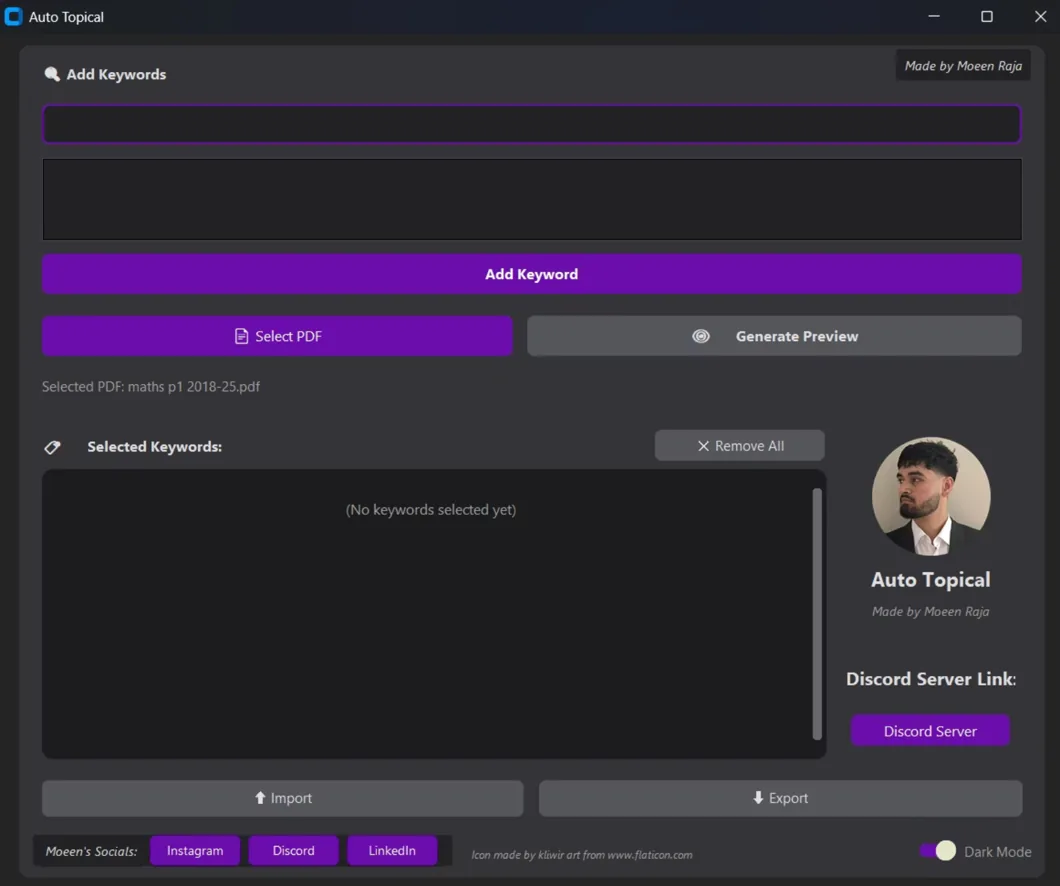
Auto Topical for Windows
The desktop app does the same job offline, on any PDF on your computer.
- Works offline, with no connection
- Keeps your keyword lists between sessions
- Preview the result, then export it when it looks right

Moeen Raja
Lead developer and CS student
I spent the last 10 months building Auto Topical to bridge the gap in educational resources. Using Python, I developed a system that parses complex PDFs and sorts thousands of questions by topic.